AI jewellery photography, and a product video to match. From one photo of the piece.
Send Nitaris the flat photo you already shot on your bench or your kitchen table. It returns a cinematic film of that piece and a set of listing photos — hero, macro, on model — of the same stones, the same metal, the same clasp.
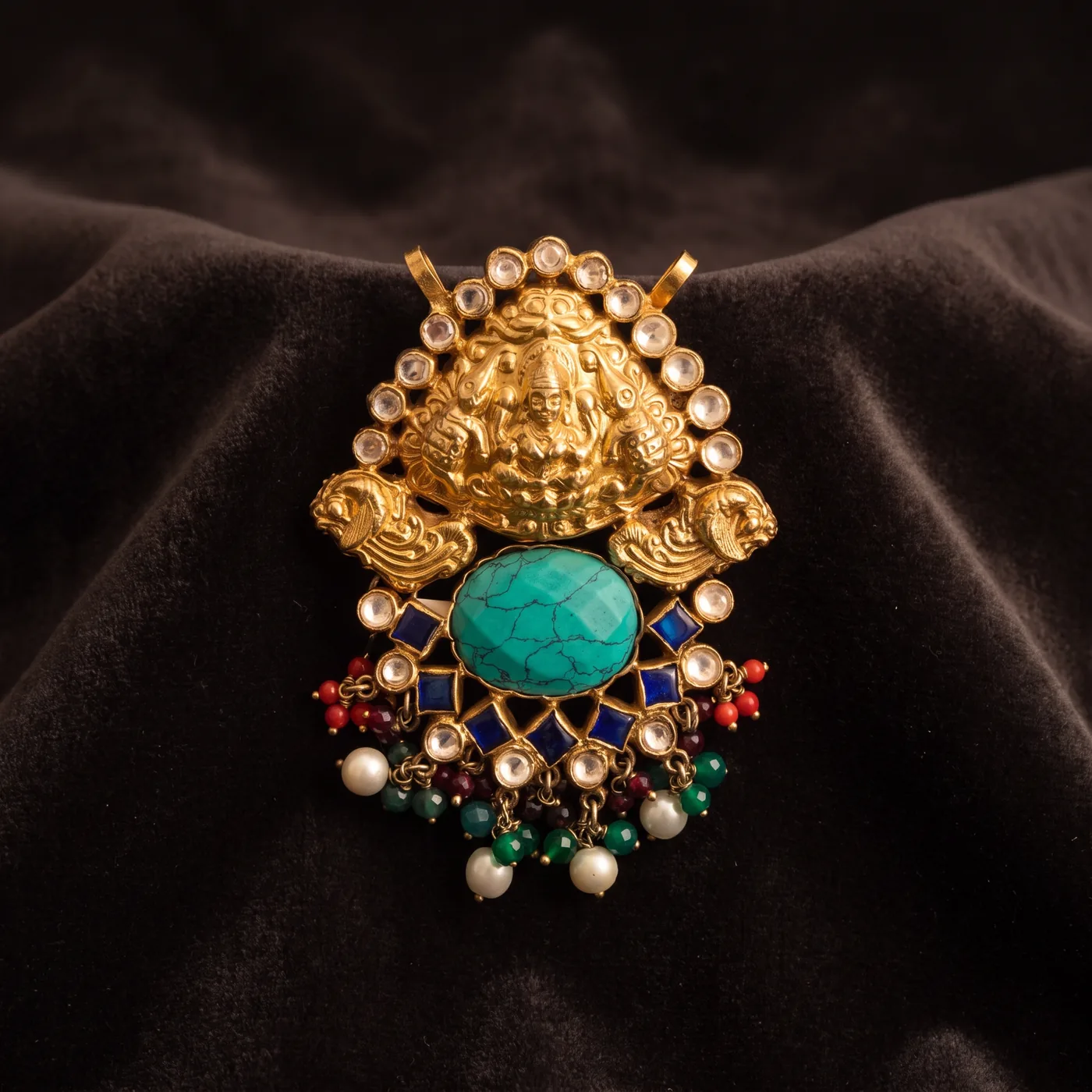
Metal and faceted stone are the hardest surface pair there is.
Every other category has a surface you can light. Jewellery has two that refuse to be lit the same way, at a scale where the camera cannot hold the whole piece in focus. This is what Nitaris is directing around.
Polished metal is a mirror, not a surface
Gold and rhodium have no look of their own — they show you whatever is in front of them. You are not lighting the object; you are lighting the reflection the object shows. Get it wrong and the frame contains the room, the tripod and the photographer.
Flat light makes real gold read as plastic
A smooth, even patch of light across a curved band is the visual signature of plastic. What reads as expensive metal is a gradient — a sweep from bright to dark along the band. It is the single most common failure in this category. Look along the stone row in the frames below: falloff, not one flat patch.
Gold and white metal want opposite light
Yellow gold wants warm light, around 3000K, which saturates its own hue instead of washing it toward pale brass. Silver, white gold and diamonds want cool — above 5500K — for brilliance. One white balance cannot serve both, and a small hue shift is all it takes to turn premium gold into brass.
Sparkle needs something dark to flash against
Brilliance — the white light a stone returns — comes from broad soft light. Fire, the spectral colour, needs a small hard source; big soft sources produce none at all. And scintillation needs black in the frame, because without something dark nearby each facet flash has nothing to read against.
Three pieces. Six frames. Three of them move.
Every frame below was generated by Nitaris from one flat photo of that piece — a gold temple pendant, a beaded gemstone necklace, and a pair of emerald halo studs. The runtime in the corner of a film is that file’s measured length, not a rounded promise.
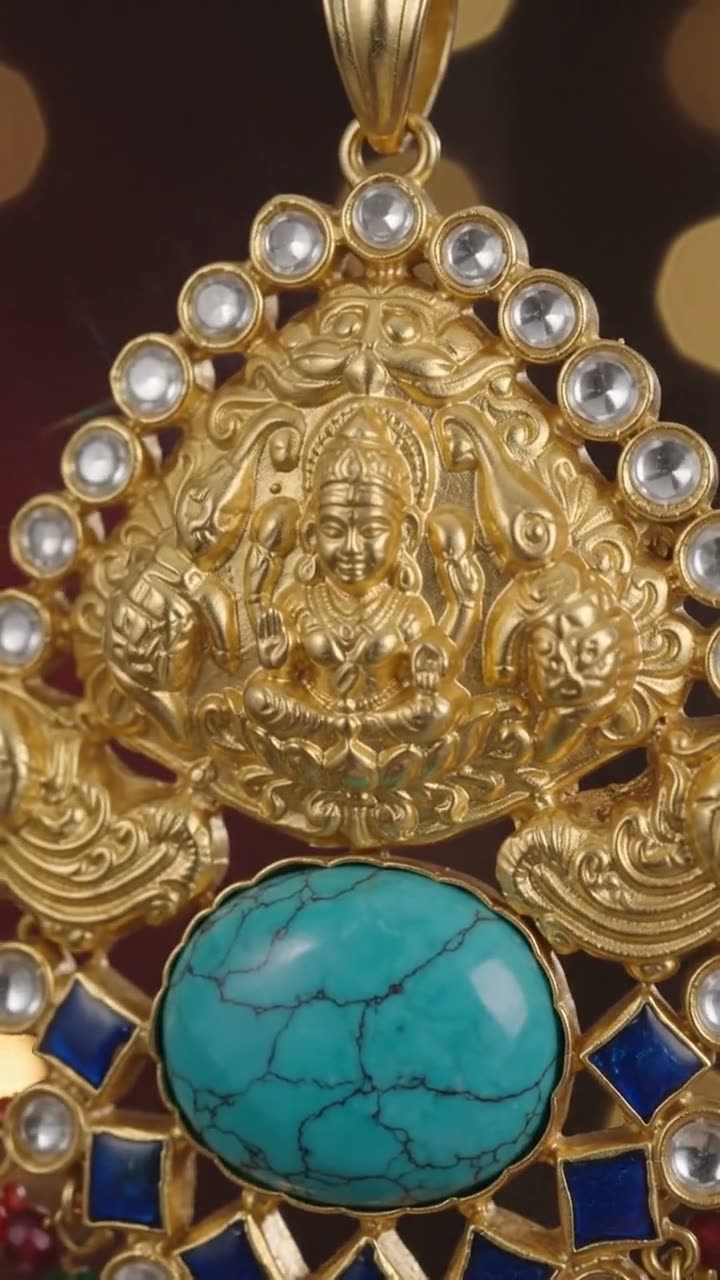
Pendant, filmed
▶ 0:10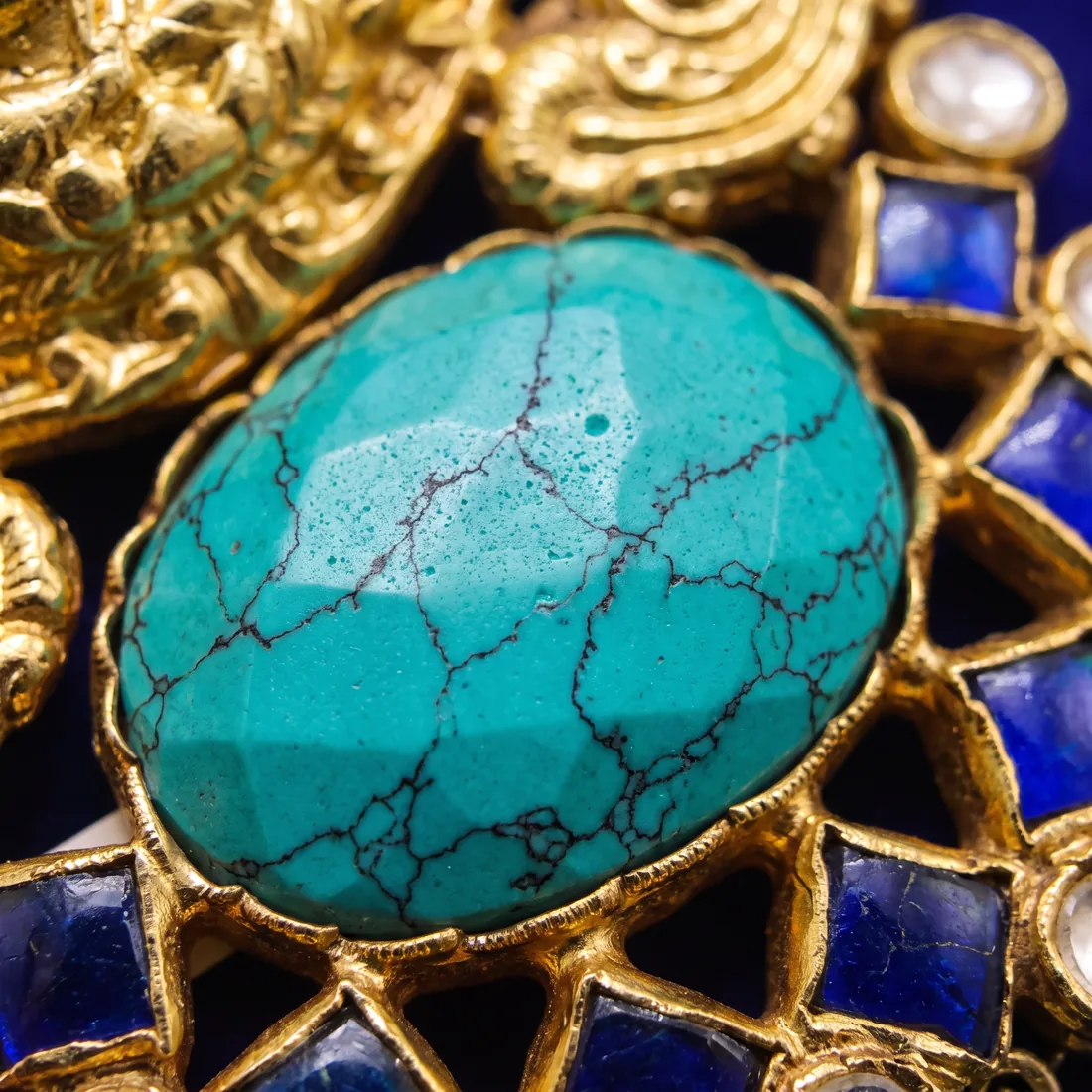
Macro stone detail
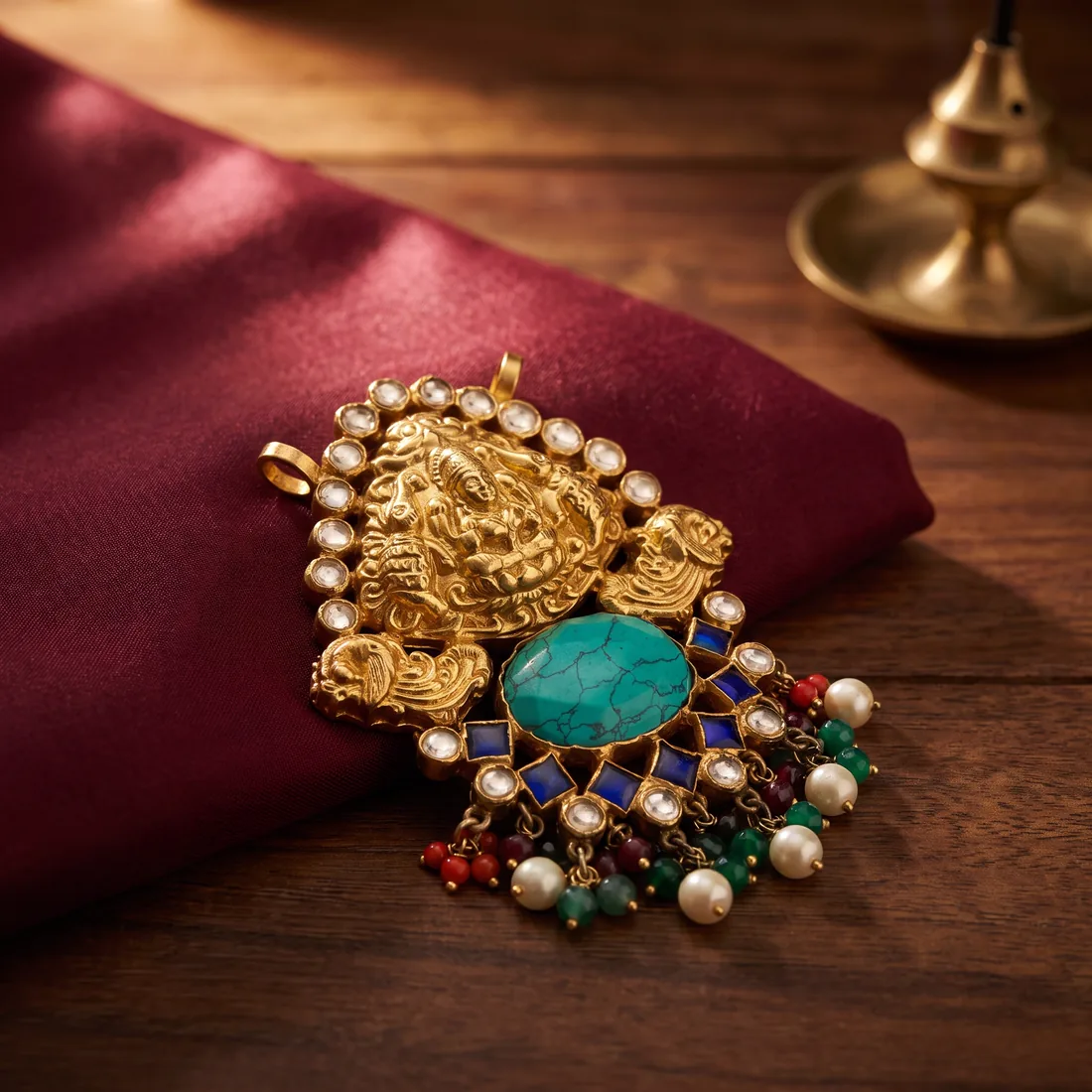
Styled lifestyle frame

Necklace, on model
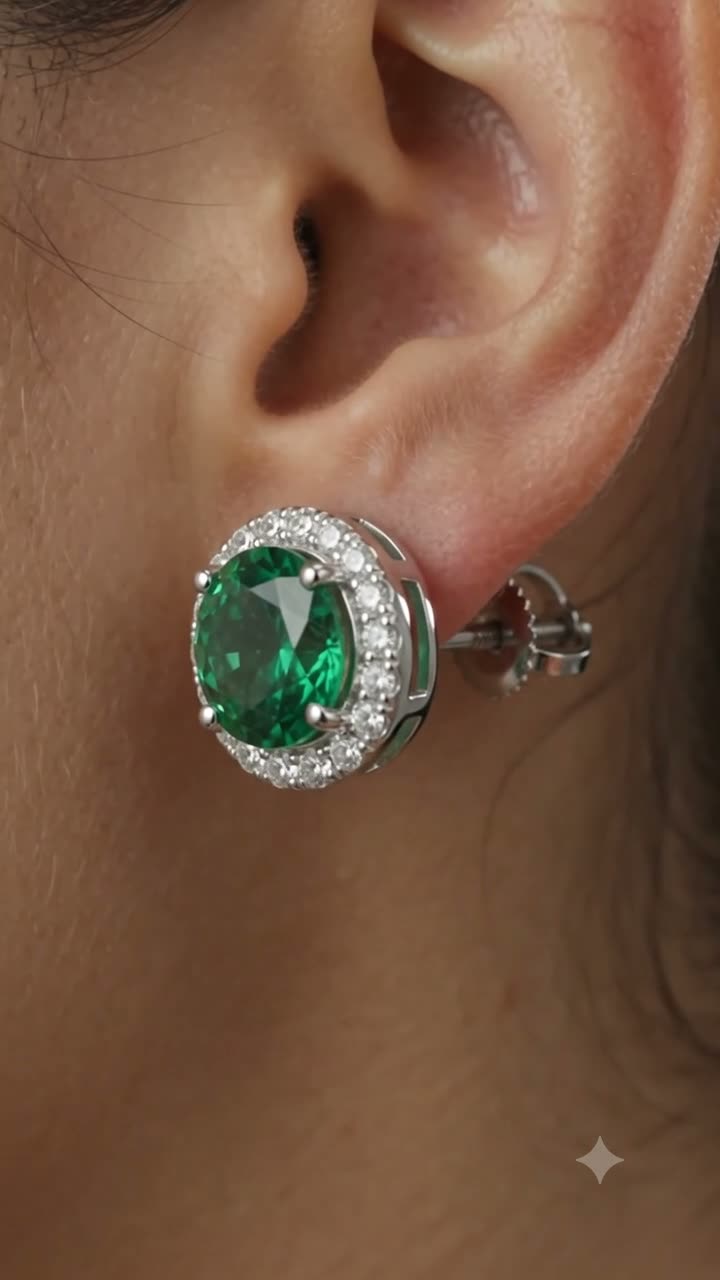
Earrings, on the ear
▶ 0:10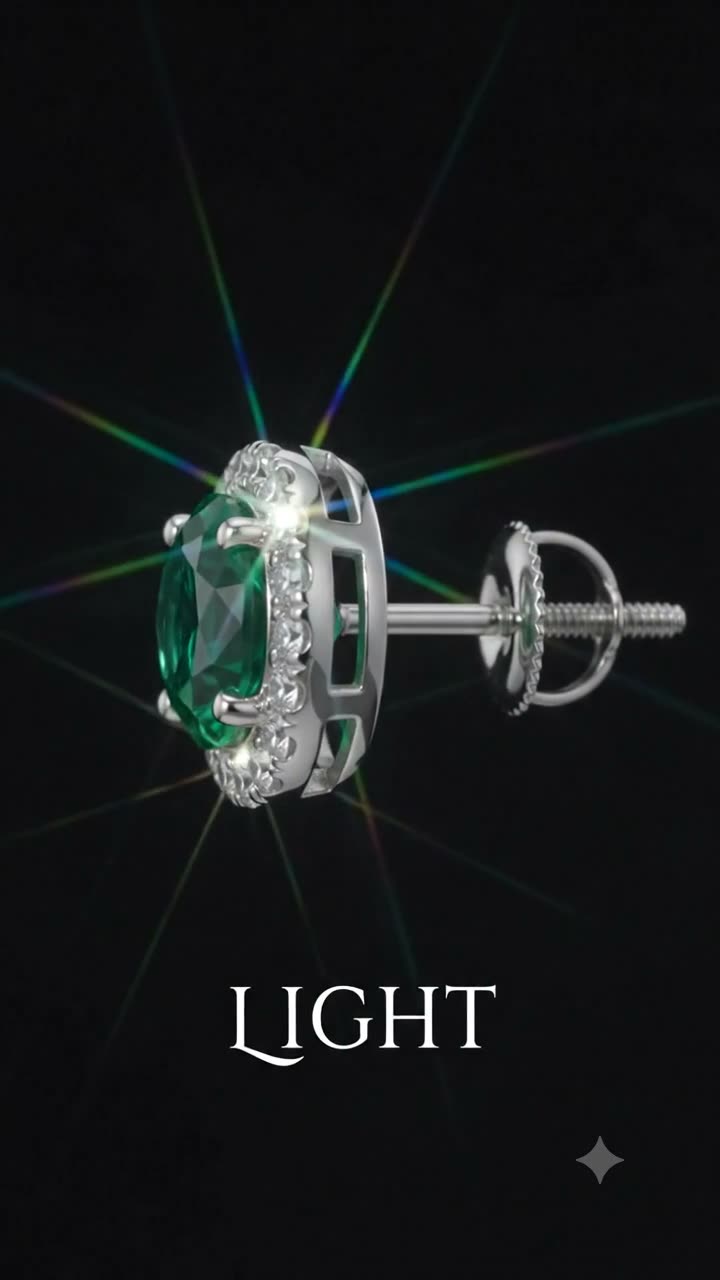
Earrings, macro
▶ 0:10On-model jewellery photography
Skin and metal want opposite things from light.
This is the hardest problem in on-model jewellery, and it is a physics problem, not a taste one. Skin wants a broad soft source that plays texture down. Metal wants a small directional one that produces defined highlights and sparkle. So a jewellery shoot runs two lighting systems at once: a large soft key carrying the person, and a small hard source aimed at the piece alone — usually brighter than the fill on the skin, because metal needs more contrast to read as reflective.
- The on-body frame’s first commercial job is size. A piece photographed alone gives a buyer no scale cue at all.
- For a necklace that means the frame has to include the landmark that defines the length — where the drop actually falls against the clavicle or sternum.
- For earrings it means drop length read against the jawline and the shoulder, with the hair cleared fully behind the ear.
- And the rule underneath all of it: you are selling the jewellery, not the model. The piece stays the sharpest thing in the frame.
A seller sent one flat photo. This is what came back.
The first tile is the seller’s own listing photo — soft, flat, with the shop’s “Silver” variant badge still burned into the corner. It is the only frame in this section Nitaris did not make. The other five were generated from it: the same thirty-odd round stones, the same four-prong settings, the same fold-over clasp.
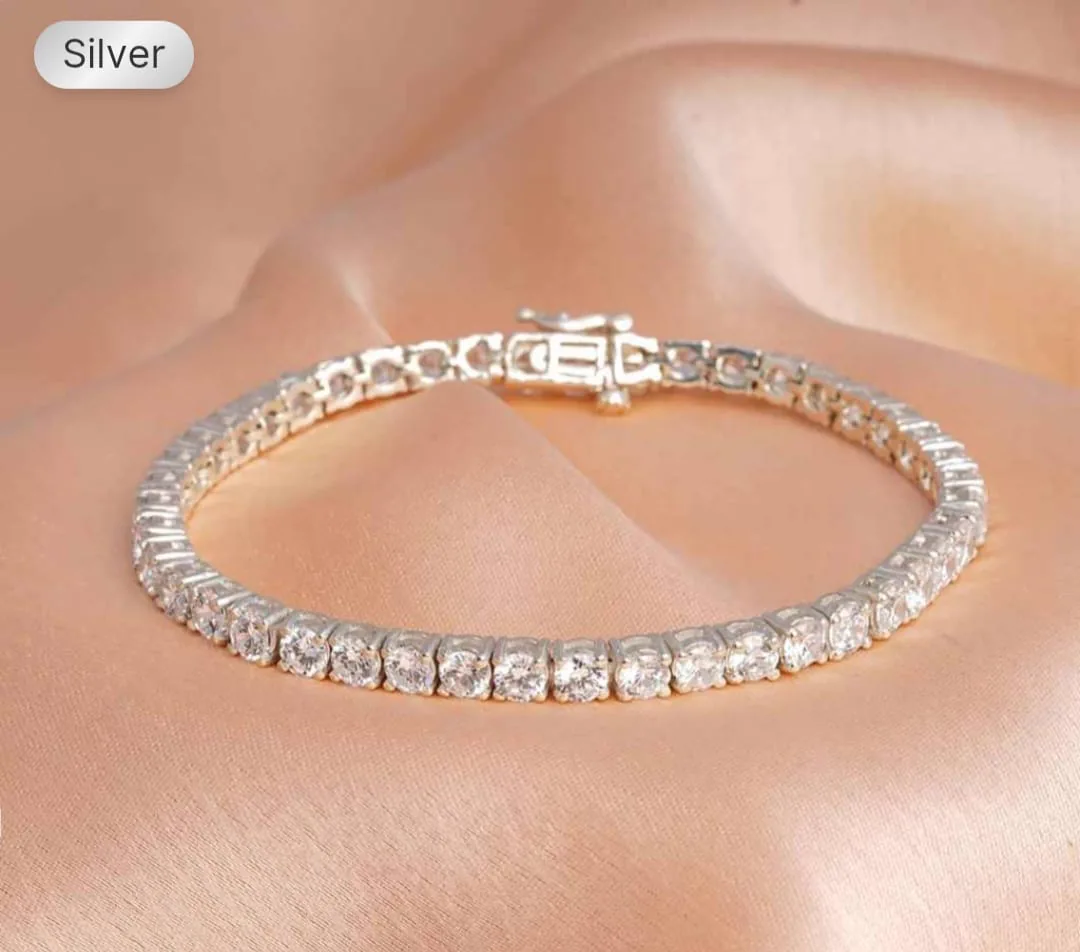
The seller's own photo
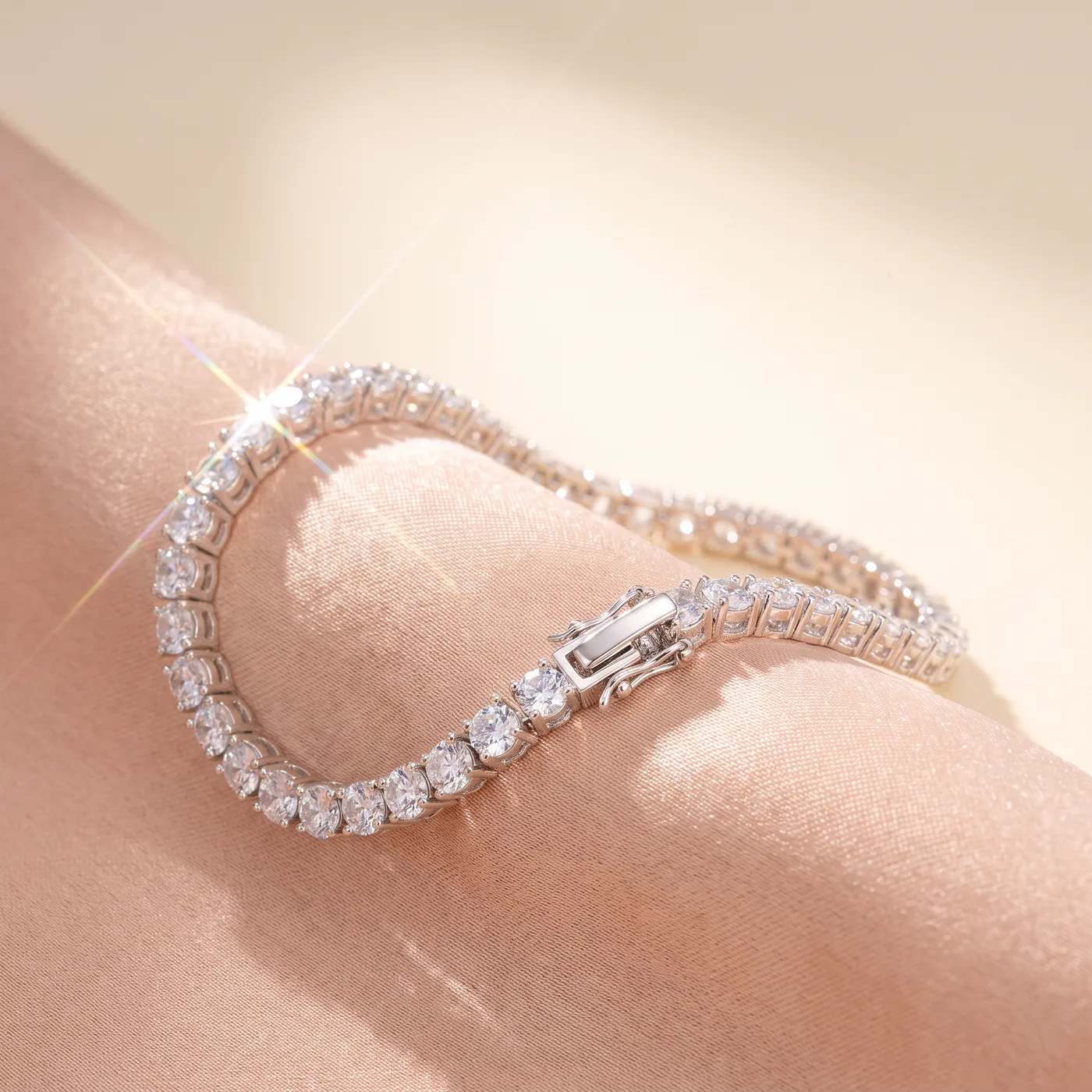
Hero, on silk
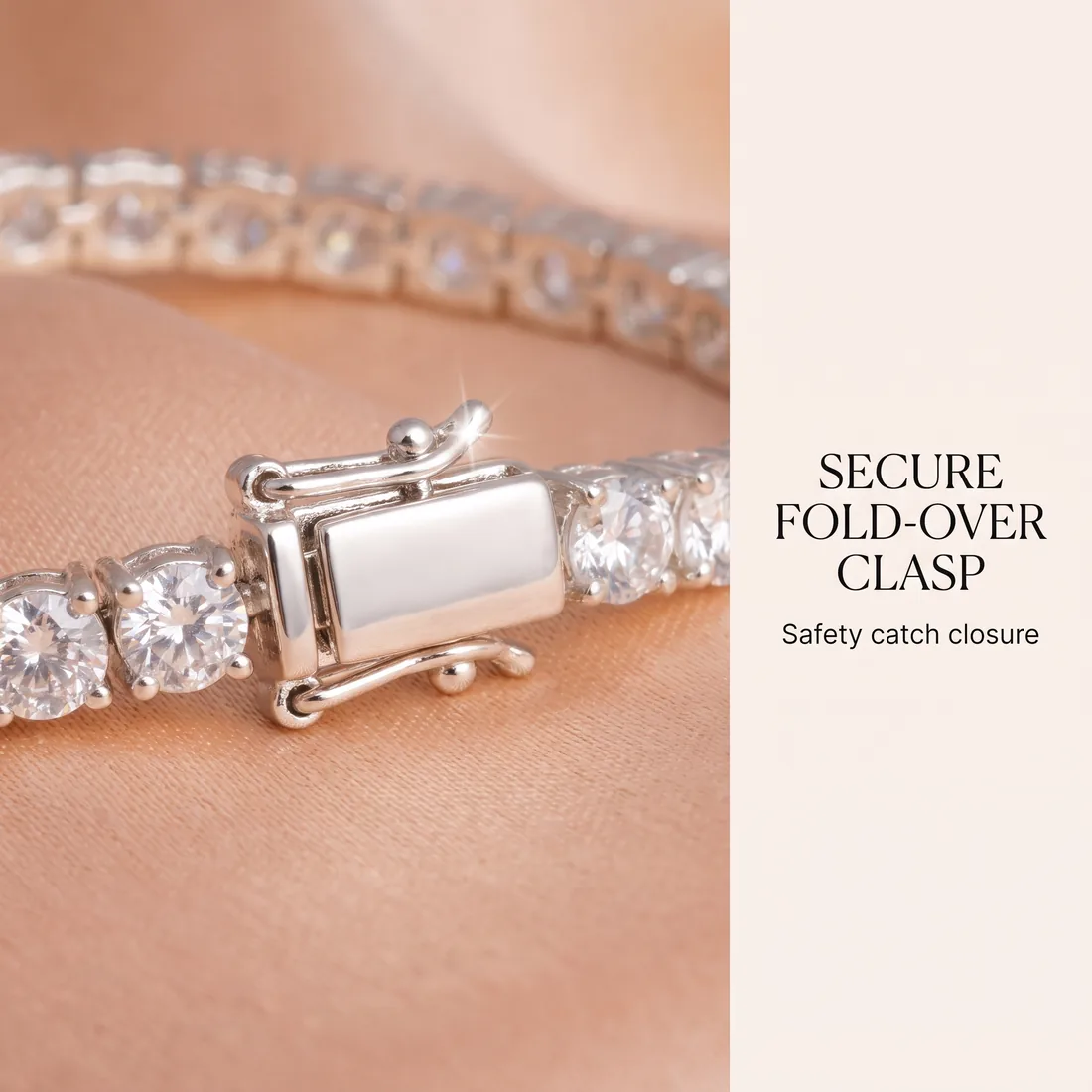
Feature card: the clasp
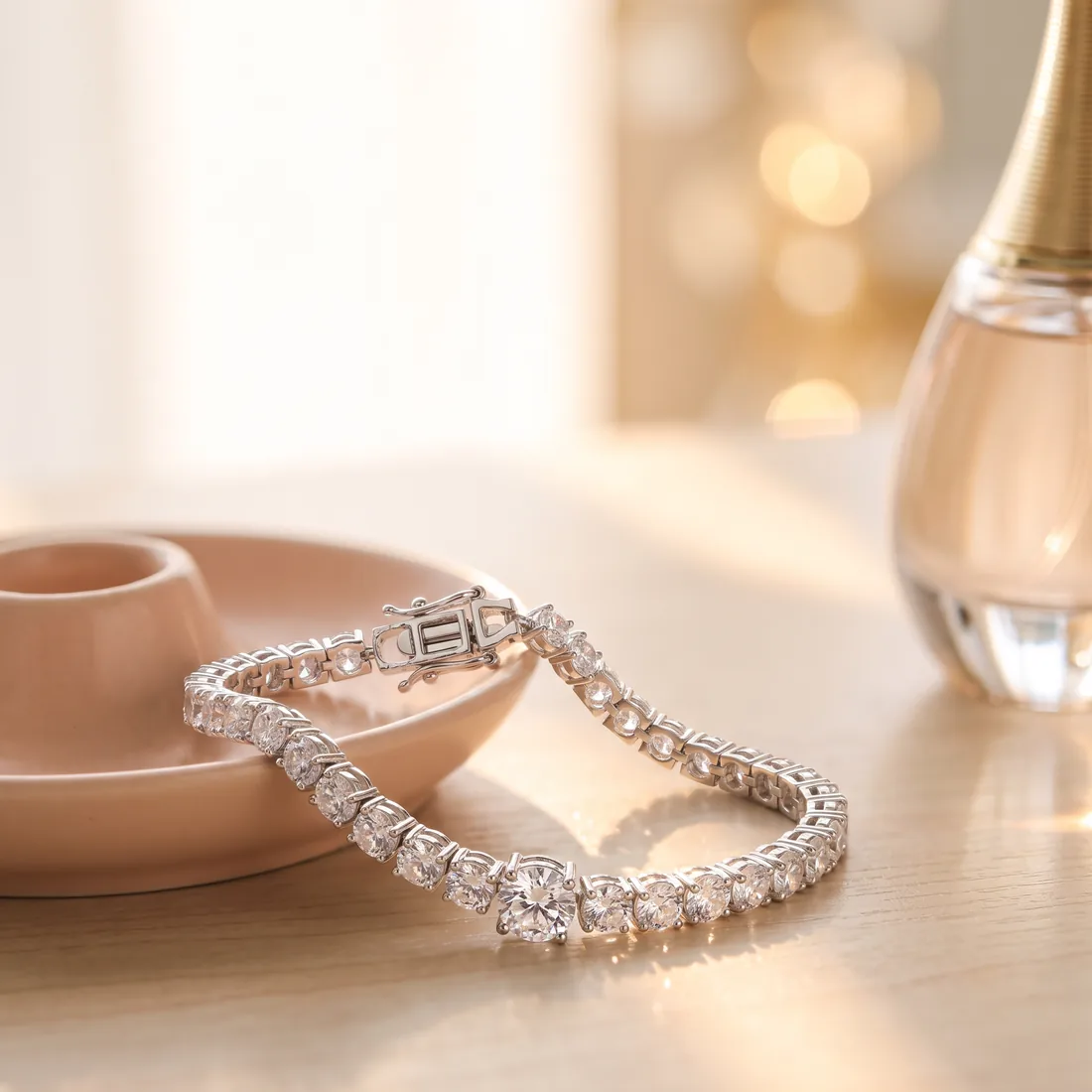
On the vanity
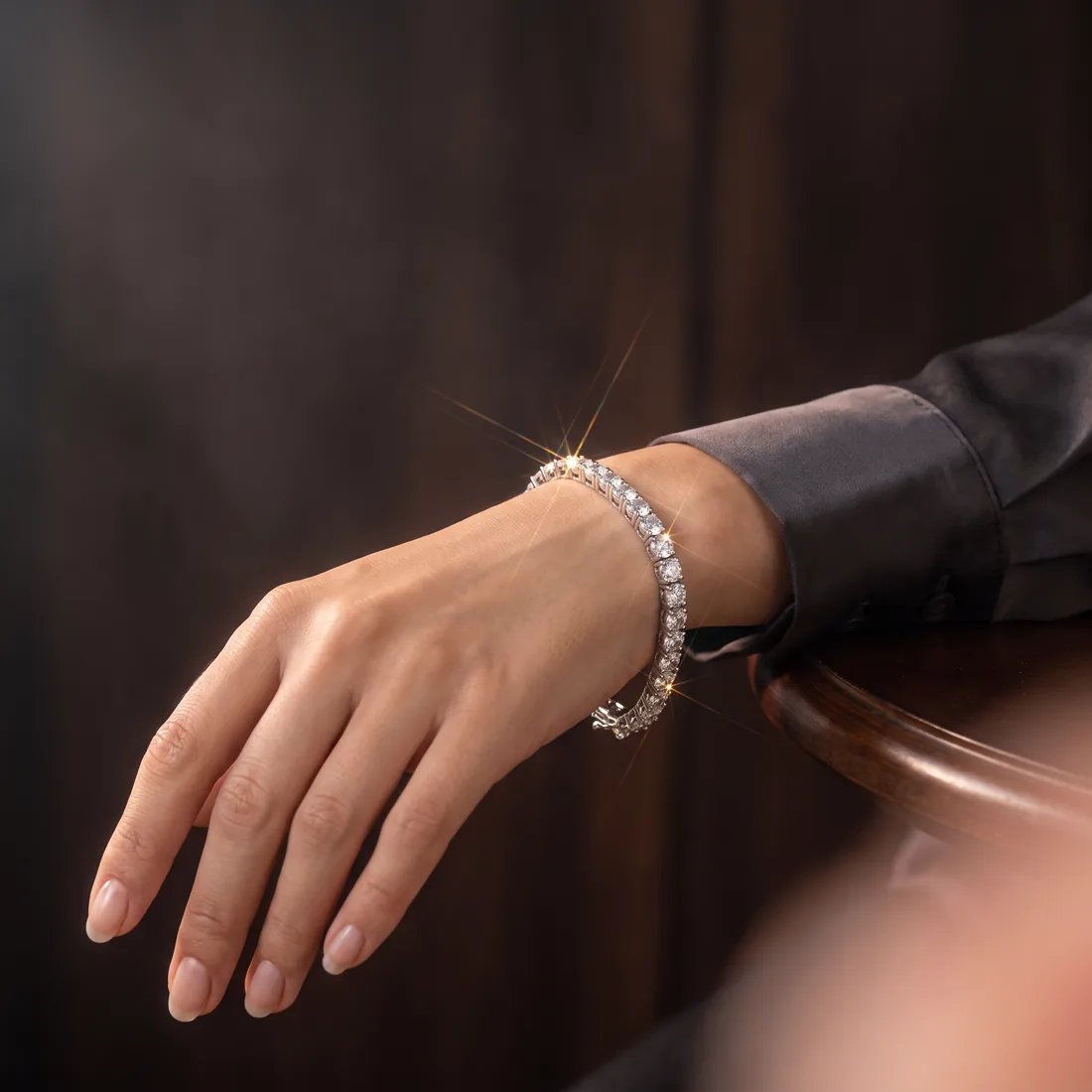
On the wrist
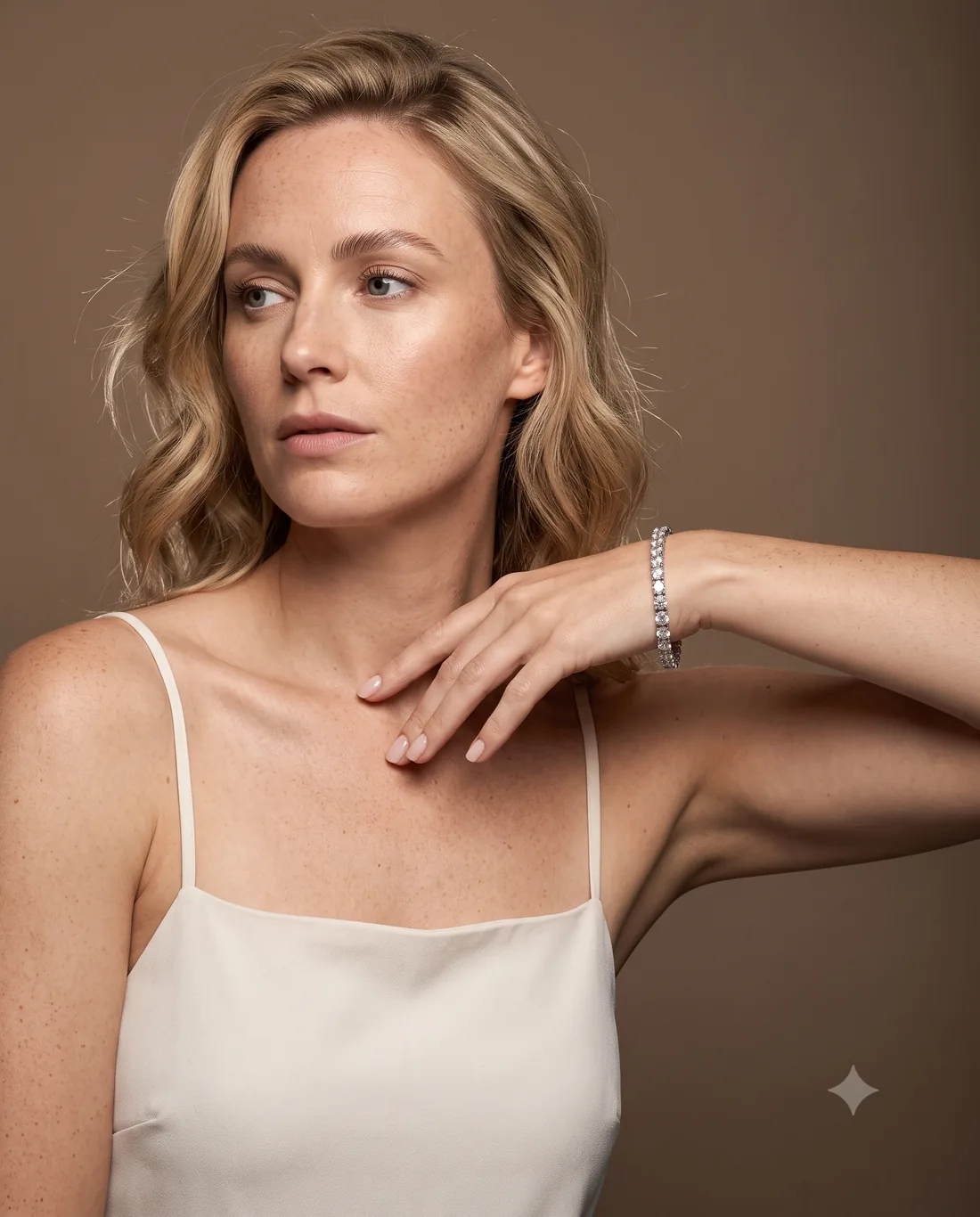
Campaign portrait
The last frame is a directed campaign shot, not a happy accident: bone silk camisole with no sheen of its own, a warm mid-taupe ground rather than white because white washes fair skin out and gives the metal nothing to separate against, the hand raised so the bracelet sits on the key-lit side of the body, freckles and pores left in. Clean negative space on the right, because a campaign frame has to take a headline.
What to send, and what to check when it comes back.
One clear photo of the piece is enough to start. A few angles on a plain background give the director more to work with. Then check the four things that actually go wrong in this category — they are specific, and they are quick.
- Count the stones. Compare the row against your own photo. Stone count and stone size are the first things to drift.
- Check the setting. Four prongs should still be four prongs — not three, not six, not a bezel — and an articulated band should still articulate rather than fusing into a rigid hoop.
- Check for invented text. Any hallmark, engraving or brand name that is not on your piece has been invented. Text is the largest single failure mode in generated product imagery, so a piece with no text on it is the easiest kind to shoot.
- Look for the contact shadow. The shadow a bracelet casts on a wrist is what proves the piece exists in space. A floating piece with no shadow is a regenerate.
If a take drifts on any of those, regenerate it — one click, same brief, a fresh take. Your first film is a free watermarked preview of your own piece, so you can run this whole checklist before you spend anything.
Other categories
Every material photographs differently.
What makes a category hard to shoot is specific to the material — so the approach is too.
Watches
The 10:10 convention, a legible dial, and a crystal that has to catch light without blowing out.
Food & drink
Steam, condensation and gloss — the cues that read as fresh, and go stale within minutes on a real set.
Where you sell
Built for the placement, not just the file.
Same shoot, sized and framed for the surface it has to land on.
Shopify
Runs inside your admin — pick a product, generate, attach to the listing without leaving the page.
Etsy
One-off pieces you have already shipped — the listing photo is enough to film them.
WooCommerce
No plugin to install — generate in the browser and upload the files to your product like any other media.
Reels & TikTok
Vertical 9:16, composed for the sound-off feed, with 4:5 and square cuts from the same film.
Still choosing a tool
Honest comparisons, including where they win.
Every one of these names something the other tool does better than Nitaris. If that is the thing you need, go and use it.
Nitaris vs Creatify
an AI ad-creative platform built around UGC-style video with presenters
Nitaris vs Photoroom
a large image-editing suite built around background removal and product stills
Nitaris vs soona
a managed content studio — you ship real products and receive photography and video shot by people
Nitaris vs Pebblely
an AI product-photography tool focused on placing products into generated backgrounds
Nitaris vs Runway
a general-purpose generative video platform — a creative suite for making video, images and audio of anything
Nitaris vs HeyGen
an AI video platform built around lifelike avatars that deliver a script, with translation and lip-sync across languages
Nitaris vs Arcads
an AI ad platform built around a large library of AI actors delivering ad scripts for performance marketing
Small, shiny and impossible to photograph. Which is exactly the point.
The pieces that are hardest to shoot are the ones that most need shooting well. Send Nitaris the photo you already have and see the film — free, watermarked, and of your own piece.
Last updated